Catch on TV Prepaid Code Guide: Activation & How To
Your Catch on TV prepaid code is the digital key that unlocks premium television content. This voucher adds funds directly to your account for seamless, commitment-free viewing. Understanding how to activate and use it is crucial for enjoying your streaming experience.
Many new subscribers face hurdles during activation or encounter frustrating billing errors. This comprehensive guide will walk you through every step, from purchase to playback. We’ll also provide expert tips for troubleshooting common payment issues.
You will find actionable steps to redeem your voucher and alternative solutions if you encounter problems. Let’s dive in and ensure you never miss your favorite shows due to a simple code error again.
Table of Contents
What is a Catch on TV Prepaid Code?
A Catch on TV prepaid code is a unique alphanumeric voucher for adding prepaid credit. It functions like a digital gift card for the Catch on TV streaming service. This code credits your account, allowing you to subscribe to channels or rent movies.
This system offers a high degree of control over your entertainment budget. You decide exactly how much to spend on streaming each month without surprises. It’s a popular choice for parents, budget-conscious viewers, and those avoiding recurring credit card charges.
Prepaid codes are typically purchased from official retailers and digital storefronts. The code is delivered instantly via email or displayed at checkout for physical cards.
How Does a TV Prepaid Code Work?
The process is straightforward: you buy a code, redeem it on your account, and the value is added. This balance is then used to pay for your subscription or on-demand purchases. Your viewing time is deducted from this credit until it runs out.
Unlike auto-renewing subscriptions, prepaid plans simply stop service when funds are depleted. This prevents unexpected overdraft fees or charges on your primary payment method. It’s a pay-as-you-go model for digital television.
Major streaming platforms like Hulu and Sling TV have popularized this model. Industry reports show prepaid users report higher satisfaction due to spending control. This method eliminates the hassle of cancellation calls.
How to Get a Catch on TV Prepaid Code
You can purchase prepaid codes through several authorized channels for security. Always buy from reputable sources to avoid purchasing invalid or used codes. Scammers often sell fake codes on unofficial auction sites and forums.
The most secure method is purchasing directly from the Catch on TV website. Official partners like major retailers (Walmart, Best Buy) and digital platforms (Amazon, MyGiftCardSupply) also sell them. These codes are activated at the point of sale and guaranteed to work.
Be wary of third-party sellers offering codes at deeply discounted rates. These are often acquired fraudulently and can result in your account being banned. Sticking to authorized sellers is the best way to protect your investment.
Official Retailers vs. Third-Party Sellers
Understanding the source of your code is critical for a smooth experience. Official retailers have a direct partnership with Catch on TV to distribute valid codes. Purchasing from them ensures full support if any activation issues arise.
Third-party sellers operate on marketplaces like eBay or independent websites. While some are legitimate, the risk of receiving a non-functional code is significantly higher. You also may not receive a receipt for your purchase, complicating refunds.
For absolute peace of mind, direct purchase is always recommended. The table below compares the key differences for your reference.
Where to Buy Your Code: A Comparison
Source
Pros
Cons
Trust Level
Catch on TV Official Site
100% valid codes, direct support, instant email delivery
Need to visit store, card activation delay possible
Very High
Authorized Digital Sellers (Amazon, PaySafe)
Instant delivery, often available 24/7, can use gift card balance
Must ensure seller is “authorized”
High
Unofficial Third-Party Sites
Possibly lower prices
High fraud risk, no guarantees, account suspension possible
Very Low (Risky)
Step-by-Step: Activate Your Catch on TV Prepaid Code
Follow this detailed, numbered guide to successfully redeem your voucher. Ensure you have a stable internet connection and your code ready before starting. The process is similar across devices but may have minor interface differences.
Step 1: Log Into Your Catch on TV Account
Open your web browser and navigate to the official Catch on TV website. Click the “Sign In” button located at the top-right corner of the homepage. Enter your registered email address and password to access your account dashboard.
If you don’t have an account yet, you must create one before redeeming a code. Click “Sign Up” and follow the prompts to provide your email and create a password. Account creation is free and only takes a couple of minutes.
Step 2: Navigate to the Billing or Payment Section
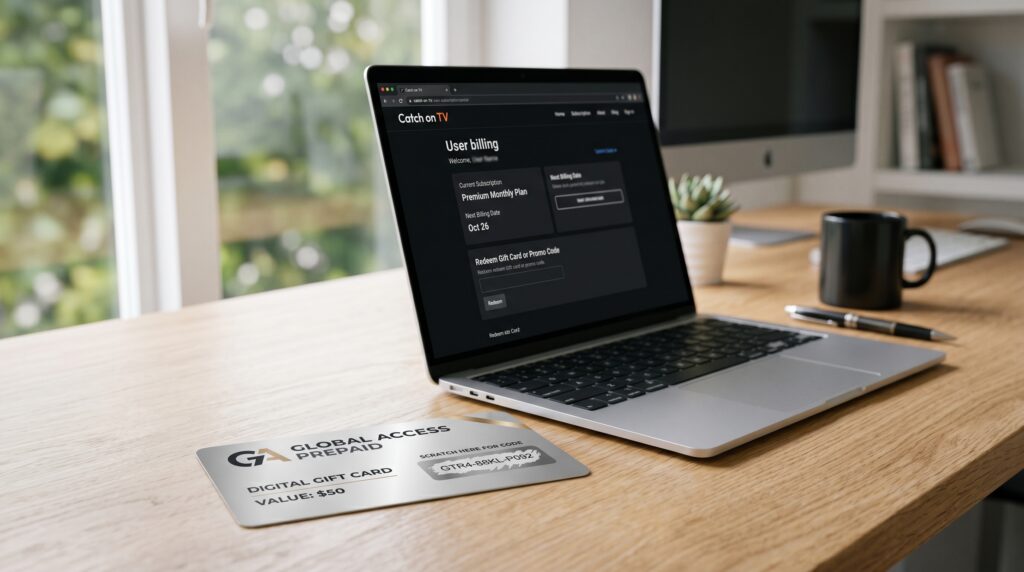
Once logged in, look for a menu labeled “Account,” “Billing,” or “Payment Methods.” This is typically found under your profile icon or in a settings sidebar. Click on this section to manage your subscription and financial details.
Within the billing area, search for an option titled “Redeem Code,” “Add Funds,” or “Prepaid Card.” The exact wording may vary, but the function is the same: to input a voucher. If you cannot find it, check the FAQ or help section for direct links.
Step 3: Enter Your Prepaid Code Carefully
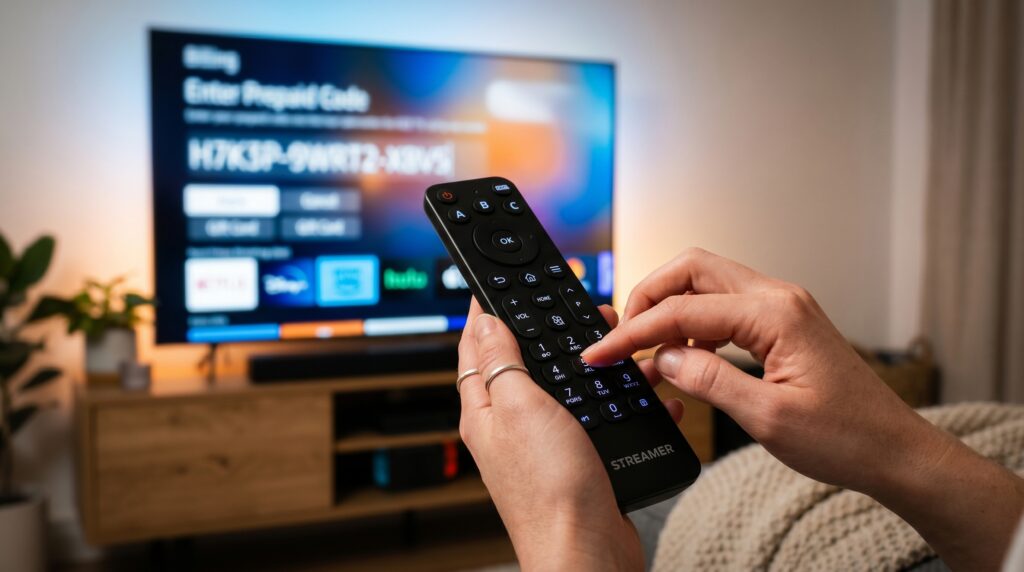
You will see a text field prompting you to enter your voucher number. Carefully type or paste the code exactly as it appears on your receipt or card. Codes are usually case-sensitive and may include both letters and numbers.
Pro Tip: Avoid confusing similar characters like ‘0’ (zero) and ‘O’ (letter O) or ‘1’ (one) and ‘l’ (lowercase L). To prevent errors, use copy-paste from a digital receipt when possible. Double-check each character before proceeding to the next step.
Step 4: Confirm & Apply the Credit
After entering the code, click the “Redeem,” “Apply,” or “Submit” button. The system will validate the code against its database in a few seconds. A success message and your new account balance should appear on the screen.
If the code is valid, the credit is instantly added to your Catch on TV wallet. This balance will automatically be used for your next subscription renewal or on-demand purchase. You can now browse and watch content as usual.
Step 5: Verify the Balance in Your Account
Always confirm that the full credit amount has been applied correctly. Navigate back to your account balance or billing summary page. Ensure the displayed amount matches the value of the prepaid code you purchased.
If you bought a $50 code, your balance should increase by exactly $50. Take a screenshot of the successful redemption message and updated balance for your records. This provides proof if any discrepancies arise later.
Common Mistakes to Avoid During Activation
Many activation failures are due to simple, preventable user errors. Being aware of these pitfalls will save you time and frustration. Let’s review the most frequent missteps
Entering the Code in the Wrong Field: Do not enter your prepaid code in the “Promo Code” or “Coupon Code” box at checkout. These fields are for discounts, not for loading prepaid credit. Always use the specific “Redeem Prepaid Code” section within your account settings.
Mistyping Characters: As mentioned, characters like ‘0’ vs. ‘O’ are common culprits. Read the code slowly and verify each character. If your code is on a physical card, the font might be unclear, so check carefully.
Using an Already-Redeemed Code: Each prepaid code is single-use. If you purchased a used or invalid code from an unofficial source, it will fail. Only buy from authorized sellers to guarantee a fresh, unused code.
Regional Code Mismatch: Prepaid codes are often locked to specific countries or currencies (e.g., USD for US accounts). Trying to redeem a code purchased for a different region will result in an error. Ensure you buy a code intended for the United States.
Not Having an Active Subscription Plan: Some users redeem a code but forget to apply the balance to a plan. The credit sits in the wallet, but the subscription may remain inactive. After adding funds, go to your subscriptions and confirm your plan is active and using the prepaid balance.
Fixing “Catch on TV” Billing & Payment Errors
Even with a valid prepaid code, you might encounter billing issues. These errors can prevent activation or interrupt your service. Understanding their root causes is the first step to resolving them.
A common issue is a tv billing error where the system rejects a valid payment method. This can happen due to system glitches, outdated account cache, or geographic payment restrictions. Clearing your browser’s cache and cookies is a good first troubleshooting step.
If your prepaid balance is not being applied to your monthly renewal, check your payment settings. The system might be defaulting to an expired credit card on file instead of your wallet balance. Manually select your prepaid balance as the primary payment source.
Expert Insight: System Glitches and Outages
Sometimes, the problem is entirely on Catch on TV’s end. Their payment processing servers may experience temporary outages or bugs. These glitches can incorrectly flag valid codes as invalid or fail to apply credit.
Before panicking, check the service’s official social media accounts or status page. Companies like Catch on TV will post updates if there is a known widespread issue with billing. Waiting a few hours and trying again often resolves these temporary problems.
If the issue persists for more than 24 hours, it’s time to contact support. Have your prepaid code number, receipt, and account email ready. Provide screenshots of the error message you receive for faster assistance.
Alternative Payment Methods for Catch on TV
Prepaid codes are excellent, but they aren’t the only way to pay. Catch on TV typically accepts several traditional and digital payment options. Having a backup ensures uninterrupted service.
Common alternatives include credit/debit cards (Visa, MasterCard, Amex), PayPal, and direct bank transfers. Some services also integrate with digital wallets like Apple Pay or Google Pay for one-tap payments on supported devices. Evaluate which method best suits your convenience and security needs.
Each method has its own pros and cons regarding auto-renewal, fraud protection, and speed. The table below provides a quick comparison to help you decide.
Payment Method Comparison for Catch on TV
Method
Pros
Cons
Prepaid Code
Full budget control, no commitment, great for gifts, privacy-friendly
Need to repurchase, risk of losing physical card, may not auto-renew
Risk of overdraft, harder to cancel, requires sharing financial data
PayPal
Secure, no direct card sharing, easy subscription management via PayPal.com
Linked bank account/card required, occasional service fees
Digital Wallets (Apple/Google Pay)
Extremely fast checkout, biometric security, tokenized transaction data
Device-specific, not all platforms support it
Troubleshooting Code & Activation Issues
When your code won’t work, a systematic approach will find the solution. Don’t try the same failed step repeatedly; move through this checklist. We’ll cover the most effective fixes from simplest to more complex.
“Invalid Code” Error Message
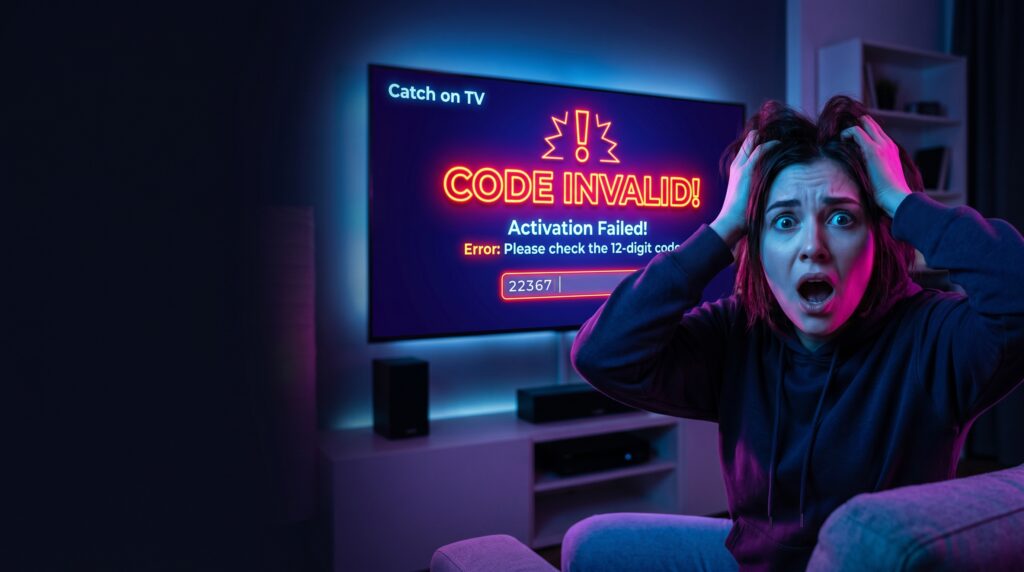
This is the most common and frustrating error message. First, double-check for typos, as mentioned earlier. If it’s correct, the code may not yet be activated by the retailer.
Physical cards bought in-store require a cashier to activate them at the register. If they forgot or there was a system error, the code is just a number. Contact the store where you bought it with your receipt to verify activation.
For digital codes, ensure you’ve received the final code, not just an order confirmation. The actual code is usually in a follow-up email titled “Your Voucher Code” or similar. Check your spam or promotions folder if it’s missing.
Code Successfully Applied But No Service
You see a success message, but your channels are still locked. This usually indicates a delay in the service provisioning system. Log out of your Catch on TV app or website completely, then log back in.
A full log-out forces the app to refresh your account status and permissions. If that fails, restart your streaming device (smart TV, Roku, Fire Stick). This clears any cached data that might be showing outdated account information.
If you still have no access after 30 minutes, your subscription plan itself might be the issue. The prepaid credit is in your wallet, but no active subscription is drawing from it. Go to your subscriptions and confirm one is active and set to use your balance.
When to Contact Customer Support
If you’ve exhausted all self-help steps, official support is your next stop. Gather all necessary information: your account email, the prepaid code, purchase receipt (with date & retailer), and screenshots of any error messages. This prepares you for a faster resolution.
Use the official support channels listed on the Catch on TV website. The most direct path for code issues is their catch on tv prepaid code and billing support team. Describe your problem clearly, noting all the steps you’ve already tried.
Politely but firmly request a solution. If the code is genuinely faulty from an authorized seller, they can often issue a replacement. For persistent issues, ask for your case to be escalated to a billing specialist.
Frequently Asked Questions (FAQs)
Here are concise, snippet-optimized answers to the most common queries.
Where is my Catch on TV prepaid code?
Check your email inbox and spam folder for a digital purchase. For physical cards, the code is on the back concealed by a scratch-off panel.
Can I use a prepaid code for any Catch on TV plan?
Yes, prepaid credit in your wallet can be applied to any subscription plan or on-demand purchase offered on the platform.
Do Catch on TV prepaid codes expire?
Codes themselves may have an expiration date (check card/terms). Once redeemed, the account balance typically does not expire if you have an active subscription.
What if I lost my prepaid code?
Contact the retailer immediately with your purchase receipt. They may be able to retrieve the code or issue a replacement if it hasn’t been used.
Can I get a refund for an unused code?
Refund policies vary by retailer. Most digital code sales are final, but physical unscratch cards may be returnable to the store of purchase.
Why is my code saying “already redeemed”?
This means the code was previously used, possibly due to fraud if bought from an unauthorized seller. Contact support with your proof of purchase.
How do I check my Catch on TV prepaid balance?
Log into your account on the website and navigate to the “Billing” or “Payment” section. Your current wallet balance will be displayed there.
Conclusion: Secure Your Streaming
Mastering the use of your catch on tv prepaid code empowers you with flexible, budget-friendly entertainment without the need for long-term commitments or recurring monthly charges. A catch on tv prepaid code gives you complete control over how and when you pay for your streaming access, making it an ideal solution for viewers who prefer convenience and flexibility.
By following the step-by-step activation guide and understanding how a catch on tv prepaid code works, you can enjoy a smooth and hassle-free experience from the moment you redeem your credit. Whether you are activating a new subscription, extending an existing plan, or gifting access to someone else, a catch on tv prepaid code offers a simple and reliable payment method.
Remember to purchase your catch on tv prepaid code only from authorized retailers and trusted sellers. This helps ensure that your catch on tv prepaid code is genuine, valid, and ready for immediate use. Buying from unofficial sources may result in invalid or expired codes, which can cause unnecessary delays and frustration.
If you encounter any issues while redeeming your catch on tv prepaid code, take time to verify the code entry, check your account details, and confirm that the catch on tv prepaid code has not already been redeemed. Most problems can be resolved quickly through basic troubleshooting steps. When additional help is needed, customer support can assist with questions related to your catch on tv prepaid code and account status.
A catch on tv prepaid code is also an excellent way to manage entertainment expenses. Because you pay in advance, you can enjoy your favorite content while staying within your budget. Many users appreciate the financial control that a catch on tv prepaid code provides, especially when compared to automatic subscription renewals.
With your catch on tv prepaid code successfully applied to your account, you can sit back, relax, and explore a wide selection of TV shows, movies, documentaries, and exclusive content. Using a catch on tv prepaid code is one of the easiest ways to access premium entertainment while maintaining complete control over your spending. By understanding how to purchase, redeem, and manage your catch on tv prepaid code, you can maximize its value and enjoy a seamless streaming experience every time.