Forget missing your favorite shows forever. Catch up TV on Sky transforms how you watch television by giving you control. This complete guide will show every US viewer how to access, navigate, and master Sky’s powerful on-demand features. You’ll learn to stream hit series, record live TV, and watch anywhere.
The landscape of television has shifted dramatically towards viewer convenience. Services like Sky Q and Sky Go are at the forefront of this change. We will demystify the platform, ensuring you never miss a moment of entertainment again.
Table of Contents
What is Catch Up TV on Sky?
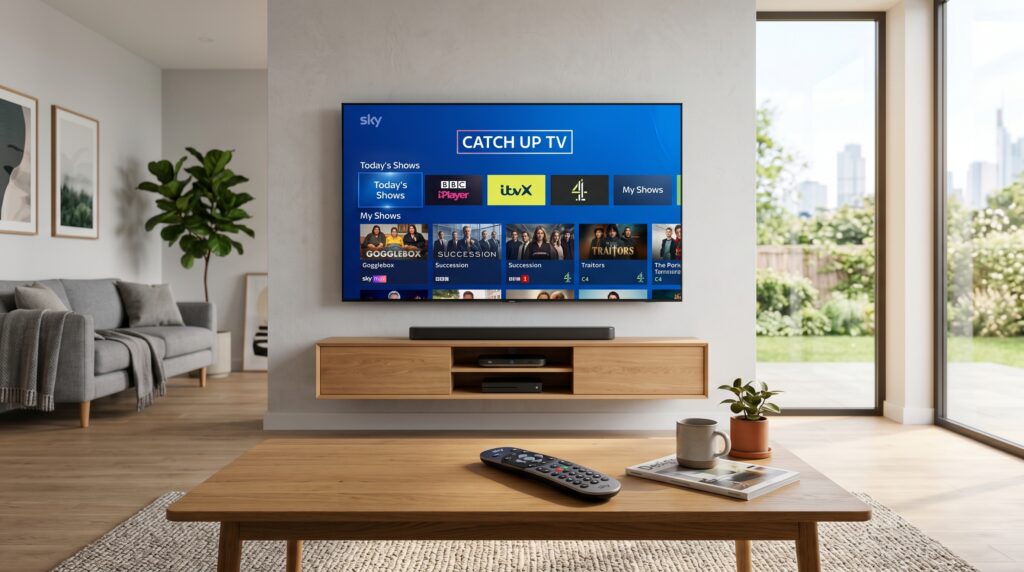
Catch up TV is a service that lets you watch TV shows after they’ve aired live. Sky stores programs from numerous channels in its on-demand library. You can typically access shows for up to 30 days after their original broadcast.
This feature is integrated directly into your Sky set-top box or via the Sky Go app. It eliminates the stress of rigid TV schedules. Think of it as a network’s curated streaming library available with your subscription.
How It Differs from Standard Streaming
Catch up TV is tied to live broadcast channels, not a standalone service like Netflix. Content availability depends on your specific Sky TV package and the channel’s rights. It’s a complementary feature that adds immense value to your live TV subscription, giving you the flexibility to watch many recently aired programmes when it suits your schedule.
You don’t need to manually record everything. Channels automatically upload select shows shortly after they air. However, using Sky’s recorder gives you more permanent control and flexibility over your content. Recorded programmes are stored in your personal library, making them easier to access even if they are later removed from the catch-up catalog. By combining recordings with catch up TV on Sky, you can ensure you never miss your favorite shows and always have something ready to watch.
Sky Go vs. Sky Q: The Core Platforms Explained
Understanding the difference between Sky’s main services is crucial. Sky Q is the physical box in your home, while Sky Go is the “watch anywhere” streaming companion. Both offer robust catch up and on-demand features.
Feature
Sky Q (Set-top Box)
Sky Go (App)
Primary Use
Main TV viewing & recording
Mobile & offline viewing on the go
Catch Up Access
Integrated directly into TV guide & menus
Browse and stream from mobile device
Recording
Yes, up to 6 shows simultaneously
No, but download for offline viewing
Number of Screens
Multiple mini boxes around the home
2 devices simultaneously
Best For
Family home viewing, recording series
Commutes, travel, and second-screen viewing
Syncing Between Sky Go and Sky Q
Your viewing progress often syncs between Sky Q and the Sky Go app. You can start watching a show on your living room TV and finish it on your tablet. This seamless integration is a key advantage of the Sky ecosystem for US users.
However, downloads on Sky Go and recordings on Sky Q are separate. Manage your device list in your Sky account to ensure smooth streaming. This prevents authorization errors when trying to watch.
Step-by-Step: How to Access Catch Up TV on Sky
Accessing your on-demand library is straightforward. Follow this numbered guide whether you’re on a Sky Q box or using the app. These steps will get you watching in minutes.
Turn on your Sky Q box and ensure it’s connected to the internet. A green light on the front panel confirms connectivity.
Press the “Home” button on your Sky Q remote. This brings up the main menu with large, easy-to-navigate tiles.
Navigate to the “TV Guide” or “On Demand” section. You can also press the dedicated “Sky” button for quick access.
Browse by channel, category, or use search. Highlight a show and press “Info” to see if a catch up version is available.
Select “Watch from Start” or “Play” to begin streaming. Use the remote’s playback controls to pause, rewind, or skip.
Accessing via Sky Go App
Download the Sky Go app from your device’s app store (iOS, Android, Windows).
Log in with your Sky ID and password. This is the same login used for your Sky account online.
Tap the “On Demand” or “Catch Up” tab at the bottom of the screen. The library is neatly organized for mobile browsing.
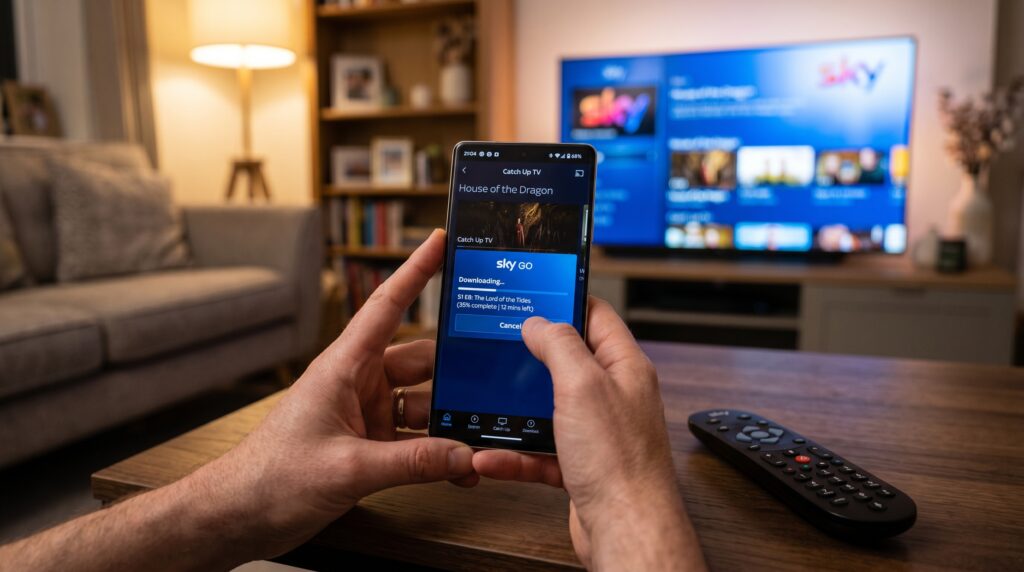
Find a show and tap to play. You can also download it by tapping the download icon for offline viewing.
Top Catch Up TV Features You Need to Use
Sky’s platform is packed with intelligent features beyond simple playback. Leveraging these will transform your viewing experience from reactive to proactive. Here are the tools you should master.
Series Link+: This doesn’t just record future episodes. It can also automatically find and add existing catch up episodes you’ve missed to your planner.
Voice Search: Use your Sky Q remote’s microphone. Say “Show me catch up episodes of Succession” to find content instantly without typing.
Personalised Recommendations: The “For You” tab analyses your viewing habits. It surfaces catch up shows and box sets it thinks you’ll love.
Restart TV: Tune into a live channel that’s already in progress. A prompt lets you restart the show from the beginning instantly.
Downloads for Offline Viewing (Sky Go): Perfect for flights or areas with poor internet. Download shows over WiFi to watch anywhere later.
What Can You Watch? The Sky Catch Up Library
The available content depends on your subscribed package (Entertainment, Cinema, Sports, etc.). Major broadcaster channels like Sky Atlantic, Sky Witness, and Comedy Central offer extensive catch up. Many non-Sky channels also participate, including BBC, ITV, and National Geographic.
Content typically stays available for 30 days post-broadcast. However, some box sets and Sky Originals are available indefinitely. Always check the “Expires” label on a show’s information page.
Popular Shows Available via Catch Up
Sky Originals:Gangs of London, The Lazarus Project, A Discovery of Witches.
HBO Hits: House of the Dragon, The Last of Us, The White Lotus.
Network TV: Latest episodes from broadcasters like Fox, CBS, and NBC (availability varies by region).
Documentaries: Full series from Nat Geo, Discovery, and the Sky Documentaries channel.
Mastering Sky Recordings & Series Link
While catch up is automatic, recording gives you permanent control. Think of your Sky Q planner as your personal streaming server. It stores content until you choose to delete it, unaffected by 30-day expiration periods that often apply to catch-up services.
To record a show, find it in the TV guide and press the “R” button on your remote. A red dot will appear next to it. For series recording, press “R” twice to activate Series Link. This ensures you get every episode, even if schedules change.
Recording is especially useful for programmes you know you’ll want to watch later or revisit in the future. Unlike catch-up content, which may disappear when broadcasting rights expire, recordings remain available on your Sky Q box for as long as you keep them. This gives you greater flexibility and peace of mind.
Another advantage is that recorded content can often be fast-forwarded, paused, and replayed without relying on an internet connection. If your broadband is slow or temporarily unavailable, your recordings are still ready to watch. By combining recordings with catch-up services, you create a more complete viewing experience, ensuring that important shows, movies, documentaries, and sporting events are always available whenever you decide to press play.
Expert Insight: Planner Management
A full planner can slow down your box and prevent new recordings. Proactively manage it by archiving important shows to an external hard drive (compatible with Sky Q). Regularly delete watched content. Use the “Keep” function to protect special recordings from accidental deletion.
Watching on Phones, Tablets, Laptops & More
Sky Go is your portal to mobile viewing. You can stream live TV and catch up on a wide range of devices. This flexibility is essential for modern, multi-screen households in the US.
Phones & Tablets: Use the Sky Go app for iOS and Android. Streaming quality adjusts automatically based on your connection.
Laptops & PCs: Visit the Sky Go website in browsers like Chrome, Safari, or Edge. You can stream directly without additional software.
Gaming Consoles: The Sky Go app was previously available on Xbox. Check the current supported device list on Sky’s website.
Smart TVs & Streaming Sticks: Sky is not natively on US smart TV platforms like Roku. Use screen mirroring (Chromecast, AirPlay) from your mobile device or laptop.
Fixing Common Problems & Error Messages
Even the best services encounter occasional hiccups. Most issues with catch up TV on Sky have simple fixes. Don’t let a temporary glitch disrupt your viewing.+
Error 0-1 or “Content Not Available”: This is usually a temporary server or rights issue. Wait 30 minutes and try again, or check if the show is available via recording.
Playback Stuttering/Buffering: This points to a weak internet connection. Restart your Sky Q box and router. For Sky Go, reduce the streaming quality in the app’s settings.
“You have reached the device limit”: Sky Go allows only two simultaneous streams. Log out of unused devices via your Sky online account.
Catch Up Shows Missing: Ensure your box is connected to the internet (check settings). Also, verify your TV package includes the channel the show aired on.
Pro Tips & Expert Insights for Power Users
Go beyond basics with these advanced strategies. They will help you optimize data usage, discover content, and enhance picture quality.
Data Saver Mode: In the Sky Go app settings, enable “Download using mobile data” only if you have an unlimited plan. Otherwise, restrict downloads to WiFi.
Use the “A-Z” Search: If you can’t find a show by browsing, use the full search. It scans all available on-demand content, not just live listings.
Check “Box Sets” Separately: Many full series are listed under “Box Sets,” not “Catch Up.” This is where you’ll find complete seasons of Sky Originals.
Parental Controls: Set a PIN to restrict access to catch up content above a certain rating. This is managed in the main settings menu on Sky Q.
Alternative On-Demand and Streaming Services
While Sky’s catch up is excellent, it’s part of a broader ecosystem. US viewers often use a combination of services. Here’s how Sky compares to other popular options.
Service
Key Feature
Best Paired With Sky For…
Netflix
Original movies & complete series
Binge-watching and award-winning films
Disney+
Family content, Marvel, Star Wars
Kids’ viewing and major franchises
Hulu
Next-day US network TV
Keeping up with current American seasons
YouTube TV
Cloud DVR & live US channels
A comprehensive US live channel replacement
Frequently Asked Questions (FAQs)
How long do shows stay on catch up TV on Sky?
Most broadcast shows are available for 30 days after the original air date. Sky Originals and selected box sets often remain much longer.
Can I watch Sky Go in the USA?
Yes, but you need an active Sky subscription with the relevant channels. Streaming availability for specific content may be subject to geographical rights restrictions. Some programmes may also have limited viewing windows, meaning they are only available on demand for a certain period after broadcast.
Do I need a Sky box to use catch up?
No. You can use the Sky Go app on compatible devices with your Sky ID. However, a Sky Q box provides the best integrated experience and recording capability.
Why can’t I download a show on Sky Go?
Not all catch up content is available for download due to licensing. Look for the download icon. Also, ensure you have enough storage space on your device.
What’s the difference between Catch Up and Box Sets on Sky?
Catch Up is for recent broadcasts (usually 30-day window). Box Sets are complete, curated series available indefinitely, similar to Netflix.
How many devices can use Sky Go at once?
You can register up to 6 devices, but only 2 can stream live or on-demand content simultaneously. Downloads can be watched on any registered device offline.
Conclusion: Taking Control of Your Viewing
Mastering catch up TV on Sky puts you in the director’s chair of your entertainment. By using both the Sky Q box and the Sky Go app, you can build a viewing experience that is flexible, convenient, and fully suited to your schedule. You are no longer tied to live broadcast times or limited to one screen in the house, which makes it much easier to keep up with the shows, films, and sports you care about most.
One of the biggest advantages of catch up TV on Sky is how simple it is to stay in control of your content. Features like Series Link+ help record episodes automatically, so you do not have to worry about missing anything important. The Box Sets library also gives you access to a wide range of series and programmes, making it easy to watch full seasons at your own pace. Whether you want to binge-watch a drama, revisit a favourite documentary, or catch an episode you missed, the service gives you plenty of options.
To get the best experience from catch up TV on Sky, it helps to keep your devices updated, manage your recordings carefully, and make sure your internet connection is stable. These small steps can prevent common playback problems and make your viewing smoother overall. With so much content available on demand, catch up TV on Sky gives you the freedom to watch what you want, when you want, and how you want.
Another benefit of catch up TV on Sky is the ability to discover content you may have otherwise overlooked. Personalized recommendations can introduce you to new series, movies, and documentaries based on your viewing habits. Families can also benefit from user profiles and parental controls, helping everyone enjoy content that suits their interests and age group. As streaming and on-demand viewing continue to grow in popularity, catch up TV on Sky remains a valuable tool for making television more accessible and enjoyable. By taking advantage of all its features, you can create a personalized entertainment experience that fits perfectly into your daily life while ensuring that your favorite programmes are always just a few clicks away.