You’ve just missed the latest episode of your favorite show, and now you’re wondering how to get catch up TV on Apple TV. This powerful device holds the key to unlocking a world of on-demand viewing. Our comprehensive guide will show you exactly how to watch missed episodes and enjoy countless hours of content.
Catch up TV, also known as video on demand (VOD), has revolutionized how we consume television. It allows you to watch programs from the last 7 to 30 days at your convenience. With an Apple TV, you have several powerful options at your fingertips, from dedicated network apps to all-in-one streaming services.
This article will walk you through every method, app, and service you need. We’ll also cover setup tips, common pitfalls, and pro advice to enhance your viewing experience. Let’s dive into the simple steps to transform your Apple TV into a catch-up powerhouse.
What is Catch Up TV on Apple TV?
Catch up TV refers to the ability to watch broadcast television shows after their original air time. Major networks like ABC, NBC, CBS, and FOX make their recent episodes available for a limited window. Your Apple TV acts as the perfect hub to access this content through various applications.
This functionality is different from standard video-on-demand libraries found on Netflix or Hulu. Catch up TV is specifically tied to recent broadcast schedules. It’s designed for viewers who miss a live airing but still want to watch the episode before it disappears.
The Apple TV’s tvOS platform is exceptionally well-suited for this. Its intuitive interface, powerful search, and integration with the TV app create a seamless experience. Understanding this ecosystem is the first step to never missing your favorite shows again.
Key Benefits of Using Apple TV for Catch Up
Apple TV offers superior picture quality with 4K HDR support on many models. This means your catch-up content will look stunning. The device also integrates Siri voice search, allowing you to find shows by simply speaking into the remote.
The unified “TV” app aggregates content from many different services. It can show you where a specific episode is available for catch-up viewing across all your installed apps. This eliminates the need to jump between multiple applications to find what you want.
Finally, the Apple TV provides a stable, ad-free environment for most apps. While some catch-up services include commercials, the playback experience is generally smooth and reliable. This makes it a preferred device for cord-cutters and traditional TV viewers alike.
Method 1: Using Network-Specific Apps
This is the most direct method to get catch up TV on Apple TV. Nearly every major broadcaster has a dedicated app available for free download from the App Store. These apps typically require you to sign in with your cable TV provider credentials to access full episodes.
Popular examples include the ABC, NBC, CBS, FOX Now, and The CW apps. They offer episodes from the current season, usually available for several weeks after airing. The content library is updated regularly, mirroring the network’s broadcast schedule.
Using individual apps gives you the highest quality and most reliable access to a specific network’s content. However, it means you’ll need to switch between apps if you watch shows from multiple channels. This method is ideal for viewers who are loyal to one or two networks.
Top Network Apps for Apple TV
Here is a quick comparison of the leading network apps available on Apple TV:
App Name
Free Content
Provider Login Required?
Catch-Up Window
ABC
Full episodes of current shows
Yes, for most content
Usually 4-5 weeks
CBS
Limited free episodes
Yes, for full access
4 weeks (CBS All Access/Paramount+ for more)
NBC
Full episodes
Yes
Up to 4 weeks
FOX Now
Full episodes
Yes
Up to 5 weeks
The CW
All recent episodes
No
Entire current season
To use these, simply search for the app name in the Apple TV App Store, download, and open it. You will be guided through any necessary sign-in process. Always ensure your cable provider is supported by the app before downloading.
Method 2: Leveraging Aggregator Apps
If managing multiple network apps seems cumbersome, aggregator apps are a fantastic solution. These platforms bring together catch-up content from various networks in one place. The most powerful native option on Apple TV is the built-in “TV” app.
The TV app features a “Watch Now” section that surfaces episodes you’re currently watching across different services. It also has a “Library” tab that can show you all the shows you follow. When a new episode becomes available for catch-up, it will appear here with a direct link to the source app.
Other third-party aggregators like watch apps for catch up tv also exist, often offering more specialized curation. Using an aggregator simplifies discovery and saves you significant browsing time. It’s a highly efficient way to manage your catch-up TV habit.
How to Set Up the Apple TV App for Catch Up
First, ensure your individual network apps are installed and you are signed in. Then, open the TV app. Navigate to the “Watch Now” tab. Here, you should see suggestions and up-next episodes from your connected apps.
You can manually add shows to your “Up Next” queue. Search for a show, and if it’s available in any of your apps, you can choose to follow it. New episodes will automatically be added to your queue as they become available for catch-up viewing.
The TV app’s search function is also universal. Searching for a show will display all available sources, including which apps offer catch-up episodes. This makes it an indispensable tool for anyone learning how to get catch up TV on Apple TV.
Method 3: Subscribing to Live TV Streaming Services
For a comprehensive, all-in-one solution, consider a live TV streaming service. Platforms like YouTube TV, Hulu + Live TV, FuboTV, and Sling TV offer cloud DVR functionality. This acts as your personal, unlimited catch-up service, recording shows as they air.
These services replicate a cable TV package over the internet. They include local network channels (ABC, CBS, NBC, FOX), which are essential for catch-up TV. After a show airs, it’s saved in your cloud DVR for a set period, typically 9 months to unlimited storage.
While these are paid subscriptions, they eliminate the need for individual network app logins. They provide a unified guide, one-stop recording management, and often include additional cable channels. This method offers the most seamless and user-friendly catch-up experience.
Comparing Top Live TV Services for Apple TV
Service
Price/Month
Cloud DVR Storage
Local Networks*
Apple TV App Quality
YouTube TV
$72.99
Unlimited
ABC, CBS, FOX, NBC
Excellent (4K available)
Hulu + Live TV
$76.99
Unlimited
ABC, CBS, FOX, NBC
Very Good
FuboTV
Starts at $74.99
1,000 hours
Varies by location
Excellent
Sling TV
Starts at $40
50 hours
Limited (via AirTV solution)
Good
*Local network availability is dependent on your geographic location. Always check the service’s website for your specific area.
Step-by-Step Guide: How to Get Catch Up TV on Apple TV
Follow these simple steps if you’re wondering how to get catch up tv on apple tv. This is the easiest and most common method using official broadcaster apps.
1. Connect Your Apple TV
Make sure your Apple TV (Apple TV HD or Apple TV 4K) is connected to your television and the internet. Sign in with your Apple ID so you can access the App Store and download apps. This is the first step in how to get catch up tv on apple tv.
2. Identify the Shows You Want to Watch
Think about the programmes you watch most often and note which broadcasters they belong to. Knowing the correct broadcaster makes how to get catch up tv on apple tv much easier because you’ll know exactly which apps to install.
3. Download the Required Apps
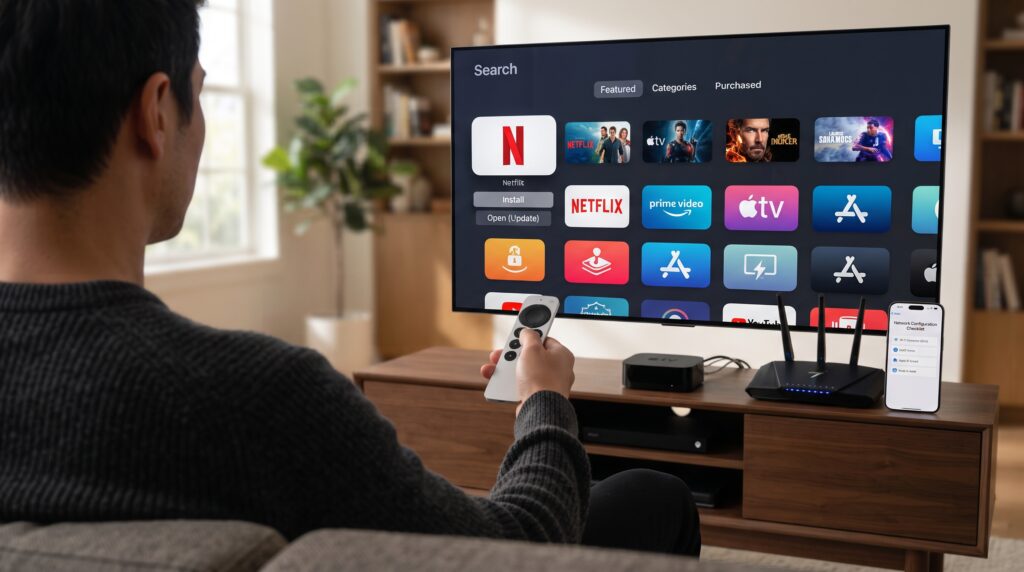
Open the App Store on your Apple TV and search for the official broadcaster apps you need. Download and install each one. Installing the correct apps is one of the most important parts of how to get catch up tv on apple tv.
4. Sign In with Your TV Provider
Launch each app and choose Sign In or Activate. If required, select your cable, satellite, or live TV provider and enter your account credentials. Some services only require a free account, while others require a TV subscription. This step is essential for how to get catch up tv on apple tv on many broadcaster apps.
5. Complete the Activation Process
Many apps display an activation code on your television. Visit the activation website shown on-screen using your phone or computer, enter the code, and complete the login process. Once linked, your Apple TV will automatically gain access to the broadcaster’s catch-up library.
6. Browse the Catch-Up Library
After signing in, navigate to sections such as Catch Up, Full Episodes, Recently Added, Latest Episodes, or On Demand. This is where you’ll find recently aired programmes available to stream. Browsing these sections is one of the easiest ways to enjoy how to get catch up tv on apple tv.
7. Use the Apple TV App
Open the Apple TV app to bring together content from many supported streaming services. The Watch Now section can recommend shows, remember your progress, and help you continue watching without opening each app individually. Using the Apple TV app makes how to get catch up tv on apple tv even more convenient.
Pro Tips for the Best Catch Up TV Experience
Once you’ve mastered how to get catch up tv on apple tv, these tips will help you enjoy smoother streaming and get more from your Apple TV.
Enable Automatic App Updates
Open Settings > Apps and enable automatic updates. Keeping your apps current improves stability, fixes bugs, and ensures compatibility with the latest catch-up services. This is one of the simplest ways to improve how to get catch up tv on apple tv.
Use Siri Voice Search
Press the microphone button on your Siri Remote and search for a programme by name. Siri can quickly locate available episodes across multiple streaming apps, making how to get catch up tv on apple tv much faster than browsing manually.
Watch Episodes Before They Expire
Most catch-up services only keep programmes available for a limited time. If you notice an episode is due to expire soon, watch it first to avoid missing it. Checking expiry dates is a useful habit when using how to get catch up tv on apple tv.
Keep Your Apple TV Organized
If you’ve installed many streaming apps, move your favorite catch-up services to the first row of your Apple TV Home Screen. This makes it quicker to launch the apps you use most often.
Maintain Good Internet Performance
For the smoothest streaming experience, use a fast Wi-Fi connection or connect your Apple TV directly to your router using an Ethernet cable if your model supports it. A stable connection reduces buffering and improves video quality while using how to get catch up tv on apple tv.
Use a Live TV Streaming Service
If you subscribe to services such as YouTube TV, Hulu + Live TV, or similar providers, you can often use those credentials to unlock additional broadcaster apps. Many also include cloud DVR, giving you another way to watch missed programmes alongside how to get catch up tv on apple tv.
Turn On “Up Next”
Enable Apple’s Up Next feature in the TV app to automatically track the shows you’re watching. It keeps your favorite series in one place and notifies you when new episodes become available, making how to get catch up tv on apple tv even more seamless.
Common Mistakes to Avoid
Even after learning how to get catch up tv on apple tv, a few common mistakes can prevent you from accessing your favorite shows. Avoiding these issues will save time and help you enjoy a smoother streaming experience.
Using the Wrong Login Credentials
One of the most common problems with how to get catch up tv on apple tv is signing in with the wrong account. Many broadcaster apps require your TV provider credentials, not your Apple ID. For example, if you’re watching through a cable or satellite subscription, you’ll usually need your provider login rather than your Apple account or a standalone streaming subscription.
Forgetting to Update Apps
Outdated apps can cause crashes, playback errors, missing features, and login problems. If you’re experiencing issues with how to get catch up tv on apple tv, open the App Store on your Apple TV and install any available updates. Keeping both your apps and Apple TV software updated ensures the best performance.
Waiting Too Long to Watch
Catch-up TV isn’t permanent. Most broadcasters only keep episodes available for a limited period, usually between a few days and several weeks. If you’re learning how to get catch up tv on apple tv, make it a habit to watch new episodes soon after they’re broadcast to avoid missing them.
Ignoring Your Internet Connection
Streaming catch-up TV requires a stable internet connection. Slow Wi-Fi can lead to buffering or poor video quality. If possible, use a fast Wi-Fi connection or connect your Apple TV with Ethernet for the most reliable experience.
Alternative Methods and Services
If the standard broadcaster apps don’t meet your needs, there are several other ways to enjoy how to get catch up tv on apple tv.
Subscription Streaming Services
Many subscription streaming services offer next-day access to recently aired television shows.
Popular options include:
Hulu
Hulu + Live TV
YouTube TV
Sling TV
Fubo
These services often provide a more complete catch-up experience, although they require a monthly subscription.
Broadcaster Streaming Platforms
Several broadcasters now operate their own premium streaming services.
Examples include:
Paramount+
Peacock
Disney+
Discovery+
Max
Depending on your region, these services may include recently aired episodes, complete seasons, and exclusive content, making them another useful option for how to get catch up tv on apple tv.
Build Your Own DVR
Advanced users can create a personal catch-up system using devices such as HDHomeRun combined with Plex or Channels DVR.
This setup records free over-the-air television directly to your home network, giving you complete control over your recordings and playback. Although it requires additional hardware and configuration, it’s one of the most flexible solutions for how to get catch up tv on apple tv.
Frequently Asked Questions (FAQs)
Do I need a cable subscription to get catch up TV on Apple TV?
Not always. Some broadcaster apps require a cable, satellite, or live TV subscription to unlock full episodes. However, many free streaming services and selected broadcaster apps allow you to watch catch-up content without a provider login. The exact requirements depend on the broadcaster and your country.
Why can’t I find a specific network app on the Apple TV App Store?
Some regional broadcasters don’t offer native Apple TV apps. If you’re unable to find one while searching for how to get catch up tv on apple tv, check whether the broadcaster provides its content through another streaming service or through the Apple TV app itself.
How long are episodes available for catch up?
Availability varies by broadcaster. Most catch-up programmes remain online for anywhere between five days and four weeks, while some streaming services keep entire seasons available for much longer.
Can I download catch up episodes for offline viewing?
Most catch-up TV apps on Apple TV don’t support offline downloads. Downloading is generally only available through the mobile versions of the apps on iPhone or iPad. Streaming on Apple TV requires an active internet connection.
Is there one app that includes every catch up service?
No. There isn’t a single free app that combines every broadcaster’s catch-up library. However, the Apple TV app can help organize content from many supported streaming services into one interface, making how to get catch up tv on apple tv much more convenient.
Why is catch up TV buffering on Apple TV?
Buffering is usually caused by a slow internet connection, network congestion, or outdated software. Restart your router, update your Apple TV, close background apps, and check your internet speed for the best streaming experience.
Which Apple TV models support catch up apps?
Most Apple TV HD and Apple TV 4K models support modern catch-up TV apps through the App Store. Older models may have limited compatibility depending on the broadcaster and app requirements.
Conclusion: Start Watching Today
Learning how to get catch up tv on apple tv is straightforward once you know which method works best for your viewing habits. Whether you use official broadcaster apps, the Apple TV app, subscription streaming services, or even your own DVR setup, Apple TV provides an excellent platform for watching recently aired television.
To enjoy the best experience, keep your apps updated, maintain a reliable internet connection, and sign in with the correct provider credentials whenever required. Features such as Siri Search, Up Next, and personalized recommendations make how to get catch up tv on apple tv even more convenient by helping you quickly find and continue your favorite programmes.
With just a few minutes of setup, how to get catch up tv on apple tv becomes one of the easiest ways to watch missed episodes, discover new series, and enjoy on-demand entertainment whenever it’s convenient. Turn on your Apple TV, install your preferred catch-up apps, and start streaming today.