Table of Contents
Missing your favorite show is a universal frustration. With Freeview’s catch-up services, you can rewind your TV week. This guide will show you exactly how to get catch-up TV on Freeview. We’ll cover everything from compatible devices to hidden tips for American audiences.
Catch-up TV transforms live broadcasting into an on-demand library. It lets you watch shows you missed over the last week or month. This guide is your key to unlocking that free, flexible viewing experience.
You don’t need a satellite dish or cable subscription to start. Many Freeview devices and smart TVs have this capability built-in. Let’s dive into the simple steps to never miss a program again.
What Is Freeview and Catch-Up TV?
Understanding how to get catch-up TV on Freeview starts with knowing what these services are. Freeview is the UK’s leading free-to-air digital TV platform, offering more than 70 standard channels and 15 HD channels without a monthly subscription. All you need is a valid TV licence and a compatible receiver to access live television.
Catch-up TV lets you watch programmes after they’ve been broadcast. Popular services such as BBC iPlayer, ITVX, and All 4 allow viewers to stream shows for several days or even months after they first air. If you’re wondering how to get catch-up TV on Freeview, these broadcaster apps are the services you’ll use most often.
Together, Freeview and catch-up TV provide a powerful, cost-effective entertainment solution. Learning how to get catch-up TV on Freeview gives you the flexibility to watch your favourite programmes whenever it’s convenient.
How Catch-Up TV Works on Freeview
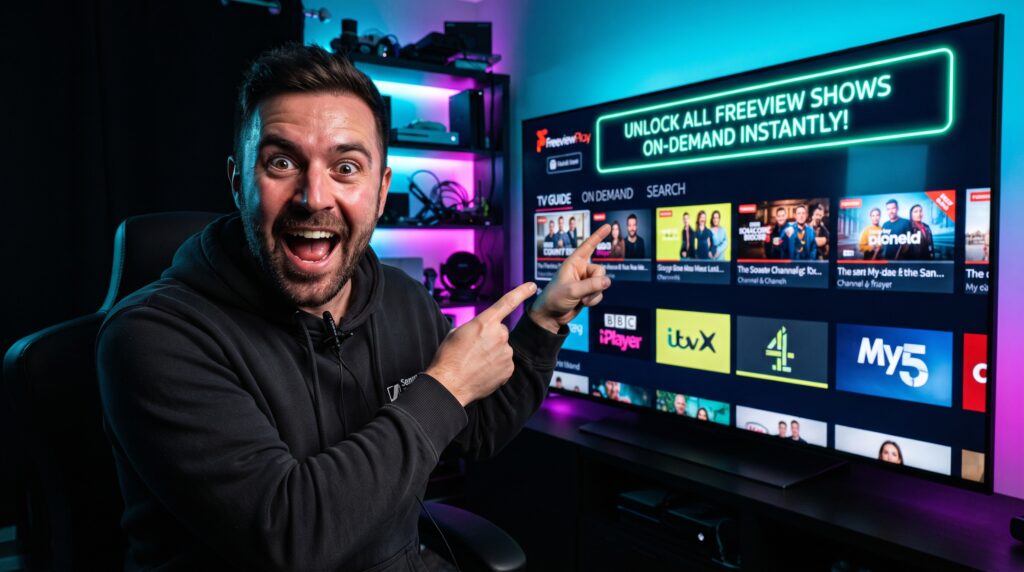
One of the most important things to understand about how to get catch-up TV on Freeview is that Freeview doesn’t use a single catch-up app. Instead, Freeview Play acts as a hub that connects you to each broadcaster’s own streaming service. When you select a missed programme, your device automatically opens the appropriate app, such as BBC iPlayer, ITVX, or My5.
The content streams through your internet connection rather than your TV aerial. This hybrid approach combines traditional broadcast television with broadband streaming, making how to get catch-up TV on Freeview both simple and convenient.
Because everything is integrated into the Freeview Play guide, you can browse live channels and on-demand programmes in one place, making how to get catch-up TV on Freeview much easier than switching between separate apps.
What You Need to Get Started
Before learning how to get catch-up TV on Freeview, make sure you have the necessary equipment and setup.
First, you’ll need a stable internet connection. A minimum speed of 2.5 Mbps is recommended for standard-definition streaming, while 5 Mbps or higher is ideal for HD content.
Second, your television or set-top box should support Freeview Play or another certified hybrid TV platform. Most modern Smart TVs include this feature, while older televisions can use a compatible Freeview Play recorder or streaming device to access how to get catch-up TV on Freeview.
Finally, you’ll need free accounts with the individual broadcasters, including BBC iPlayer, ITVX, Channel 4, and My5. These accounts are quick to create and are an essential part of how to get catch-up TV on Freeview, as they unlock personalised recommendations and access to on-demand libraries.
Internet Speed Requirements
To enjoy the best experience with how to get catch-up TV on Freeview, make sure your internet connection meets these recommended speeds:
- Standard Definition (SD): 2.5–3 Mbps
- High Definition (HD): 5–8 Mbps
- 4K Ultra HD: 25 Mbps or higher (where available)
Running an internet speed test on your TV or connected device can help determine whether your connection is suitable. While Wi-Fi is convenient, a wired Ethernet connection usually provides greater stability, helping how to get catch-up TV on Freeview run smoothly without buffering during longer programmes.
Step-by-Step: How to Access Catch-Up TV on Freeview
Follow this simple numbered guide to learn how to get catch-up TV on Freeview and start watching missed programmes today. The setup process is straightforward and designed for users of all experience levels. Whether you’re using a modern Smart TV or a Freeview Play set-top box, you’ll be able to access on-demand content in just a few minutes.
Step 1: Connect Your Device to the Internet
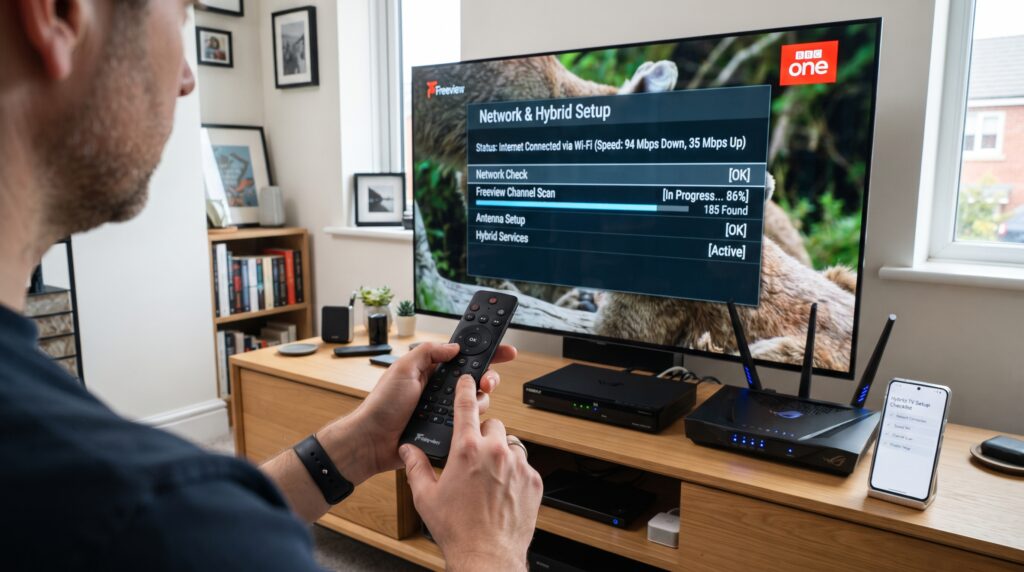
The first step in how to get catch-up TV on Freeview is connecting your Freeview Play TV or compatible box to the internet. Open your device’s Network or Internet Settings menu and connect to your home broadband using Wi-Fi. For the most reliable streaming performance, especially for HD content, use an Ethernet cable connected directly to your router.
After connecting, test your internet connection to confirm everything is working properly. A stable connection helps prevent buffering and ensures smooth playback when streaming catch-up programmes.
Step 2: Open the Freeview Play Home Screen
Once your device is online, press the Freeview Play button on your remote control. Depending on your television model, this button may display the Freeview Play logo or be highlighted with a distinctive color.
Opening the Freeview Play interface is a key part of how to get catch-up TV on Freeview, as it gives you access to both live television and on-demand services from major UK broadcasters in one convenient place.
Step 3: Browse the TV Guide or Search for a Programme
Next, explore the Freeview Play guide by scrolling backwards through previous days to find programmes you’ve missed. Most devices let you go back up to seven days directly from the TV guide.
You can also use the built-in search feature to look for a specific programme, actor, channel, or genre. This makes how to get catch-up TV on Freeview much quicker, especially if you already know what you want to watch.
When you find an available programme, select it. Freeview Play will automatically launch the correct broadcaster’s streaming service, such as BBC iPlayer, ITVX, Channel 4, or My5.
Step 4: Sign In to the Broadcaster’s App
If it’s your first time opening a broadcaster’s app, you’ll be asked to create or sign in to a free account. Registration usually only takes a few minutes and requires an email address and password.
This step is essential when learning how to get catch-up TV on Freeview, since each broadcaster manages its own content library. Once you’ve signed in, your account will often remain logged in, making future viewing much faster and more convenient.
Step 5: Start Watching Your Programme
After signing in, your selected programme should begin streaming immediately. You can pause, rewind, fast-forward (where available), and enable subtitles just as you would on other streaming platforms.
Most broadcaster apps also remember your viewing progress, so if you stop watching halfway through, you can easily resume later. This convenience is one of the biggest advantages of how to get catch-up TV on Freeview.
Step 6: Explore More Catch-Up Features
Once you’ve mastered how to get catch-up TV on Freeview, take a few minutes to explore additional features available in each broadcaster’s app. Many services offer personalised recommendations, curated collections, box sets, and the ability to save favourite programmes to your watchlist.
You’ll also discover exclusive online content that isn’t always available through traditional TV broadcasts, helping you get even more value from your Freeview Play device.
Pro Tip: Use the Freeview Mobile App
For an even better experience with how to get catch-up TV on Freeview, download the official Freeview mobile app for iOS or Android. The app lets you browse TV listings, discover new programmes, and in many cases use your phone as a remote control.
You can also plan your viewing schedule, check what’s available on catch-up, and send supported content directly to your television. It’s a convenient companion that makes how to get catch-up TV on Freeview even easier, whether you’re at home or planning what to watch later.
Top Freeview Catch-Up Channels & Apps
Freeview hosts all major UK broadcasters’ on-demand services. Each has its own library, retention period, and unique features. Here’s a breakdown of the key players you’ll encounter.
| Service (App) | Key Channels | Catch-Up Window | Notable Content |
|---|---|---|---|
| BBC iPlayer | BBC One, Two, Three, Four, CBBC, CBeebies | 12 months (most content) | Doctor Who, Strictly Come Dancing, BBC News |
| ITVX | ITV1, ITV2, ITV3, ITV4, CITV | 30 days for most shows | Love Island, Coronation Street, Drama series |
| All 4 | Channel 4, E4, More4, Film4 | 30 days | The Great British Bake Off, Gogglebox, Taskmaster |
| My5 | Channel 5, 5STAR, 5USA, Paramount Network | 30 days | Neighbours, Celebrity Big Brother, Documentaries |
| UKTV Play | Dave, Drama, Yesterday | 30 days | QI, Red Dwarf, Classic British Comedies |
For a comprehensive look at all available options, explore this list of catch-up tv channels. Knowing what each service offers helps you find content faster.
Specialist and Kids’ Content
CBBC and CBeebies offer vast libraries of child-friendly programming. Content is carefully curated and often available for extended periods. Services like Horror Bites and Together TV cater to niche audience interests.
These specialized channels are fully integrated into the Freeview Play guide. Parental controls are available within each broadcaster’s app settings. This makes managing family viewing both simple and secure.
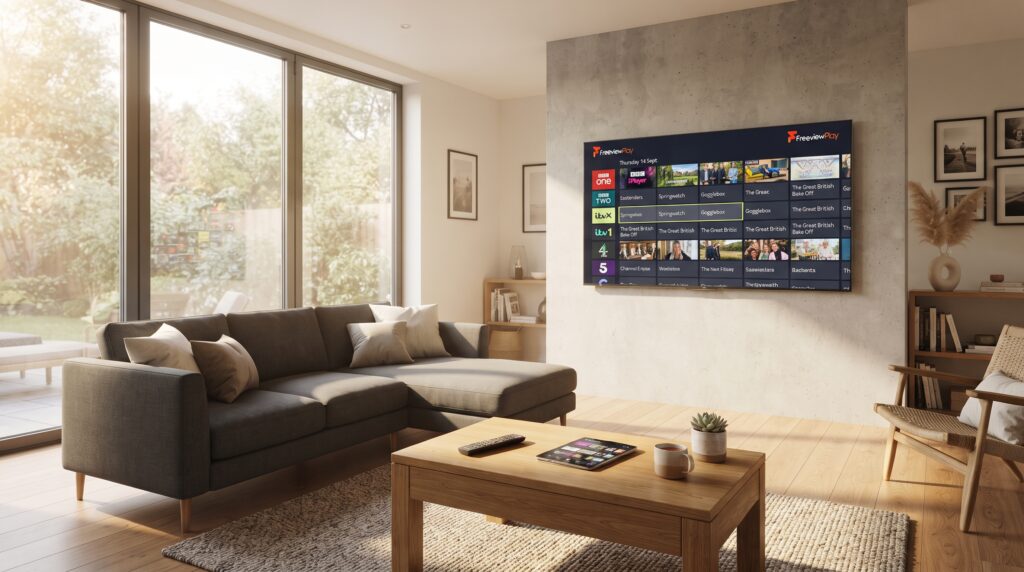
Best Devices for Freeview Catch-Up
Not all devices offer the same seamless Freeview Play experience. The best hardware integrates live TV, catch-up, and streaming apps flawlessly.
Freeview Play Smart TVs
Major brands like LG, Samsung, Panasonic, and Sony include Freeview Play. It’s built directly into the operating system of TVs sold in the UK. This offers the most integrated experience with a single remote control.
Look for the Freeview Play logo on the box or in the TV’s specifications. Setup involves a simple channel scan and internet connection. It’s the all-in-one solution for most households.
Set-Top Boxes and Recorders
Devices like the Manhattan T3-R or Humax Aura are excellent choices. They often include recording capabilities to an internal hard drive. This combines the power of a personal video recorder (PVR) with full catch-up access.
They are perfect for older TVs that aren’t smart or lack hybrid tuners. Connection is straightforward via HDMI, and they run a dedicated Freeview interface. These boxes receive regular software updates to add new features.
Streaming Sticks with Freeview
While Roku or Amazon Fire Stick have broadcaster apps, they lack the integrated Freeview Play guide. For the true portal experience, a dedicated Freeview device is superior. However, you can still access individual catch-up apps like iPlayer on most sticks.
This method requires switching between different apps instead of one unified guide. It’s a viable alternative if you already own a streaming stick. The experience is more fragmented but gives access to the same content libraries.
Expert Insight: The Future is Hybrid
“The convergence of broadcast and broadband is the future of free TV. Freeview Play’s hybrid model is leading this shift. It ensures viewers get reliability from the aerial and choice from the internet, all in one place.” – Industry Analyst.
Alternative Methods for Streaming How to Get Catch-Up TV on Freeview
If you don’t have a Freeview Play device, there are other ways to learn how to get catch-up TV on Freeview. These methods are especially useful for viewers accessing UK television from outside the UK.
Using Broadcaster Apps Directly
You can download BBC iPlayer, ITVX, All 4, and My5 on most smart TVs and game consoles. This bypasses the Freeview Play hub entirely. Simply open the app you want and browse its dedicated library.
While you lose the unified guide that Freeview Play provides, this remains one of the easiest ways to understand how to get catch-up TV on Freeview without relying on compatible hardware. It does require checking multiple apps, but you’ll still have access to a wide range of on-demand content.
Watching on a Laptop, Phone, or Tablet
Every major UK broadcaster has a fully functional website. You can visit BBC iPlayer or ITVX directly in your browser to stream your favorite programmes. This is another excellent option if you’re researching how to get catch-up TV on Freeview without using a television.
You can also cast the video to a larger screen using Chromecast or AirPlay. This method is ideal for traveling or watching on devices that don’t support Freeview Play. A stable internet connection will provide the best viewing experience.
Considerations for US Viewers
Most UK catch-up services are geo-restricted to the United Kingdom. If you’re trying to learn how to get catch-up TV on Freeview while in the US, you’ll generally need a reliable VPN capable of accessing UK streaming services.
Even with a VPN, you’ll still need to create free broadcaster accounts. Some services may ask for a UK postcode during registration. Once set up correctly, this approach allows international viewers to enjoy a wide selection of British television.
Common Mistakes to Avoid
Avoid these common issues when learning how to get catch-up TV on Freeview, as they can prevent you from accessing on-demand content.
- Ignoring Software Updates: Outdated device software can cause apps to crash or disappear. Keep your TV or streaming device updated to ensure how to get catch-up TV on Freeview works smoothly with the latest features.
- Weak Wi-Fi Signal: Poor internet connections lead to buffering and lower video quality. Position your router closer to your TV or use a wired connection whenever possible.
- Not Registering for Accounts: Most catch-up platforms require a free account before streaming. Registering with each broadcaster is an essential step in how to get catch-up TV on Freeview.
- Using an Incompatible Device: Older “Freeview HD” receivers don’t support Freeview Play. Always check for the Freeview Play logo if you’re planning how to get catch-up TV on Freeview through your television.
- Forgetting the Aerial: Although catch-up programmes stream over the internet, many Freeview Play devices still rely on an aerial for live TV and guide information. Both connections work together for the best experience.
Frequently Asked Questions (FAQs)
Is catch-up TV on Freeview really free?
Yes. Learning how to get catch-up TV on Freeview doesn’t require a monthly subscription. BBC iPlayer requires a valid TV licence, while ITVX, All 4, My5, and other broadcaster services are free to use.
How far back can I watch shows?
Most programmes remain available for around 30 days after broadcast. BBC iPlayer keeps many titles for up to 12 months, making how to get catch-up TV on Freeview even more convenient.
Do I need a special aerial?
You only need a standard UHF aerial for live Freeview channels and guide data. For catch-up programmes, you’ll also need a reliable internet connection. Both are important for how to get catch-up TV on Freeview using Freeview Play.
Can I download shows to watch offline?
Yes. BBC iPlayer and ITVX allow downloads on supported mobile devices. While this feature isn’t usually available on TVs, it’s another useful benefit when exploring how to get catch-up TV on Freeview.
Why is a programme not showing in catch-up?
Some content isn’t available because of licensing agreements, especially films and sporting events. If you’re wondering how to get catch-up TV on Freeview for a missing programme, check the broadcaster’s app or schedule for availability.
Can I use Freeview catch-up outside the UK?
Officially, no. The services are geo-restricted. Viewers outside the UK who want how to get catch-up TV on Freeview generally need a VPN connected to a UK server, although access isn’t guaranteed.
Conclusion: Your Gateway to Free On-Demand TV
Learning how to get catch-up TV on Freeview opens the door to a huge library of free, on-demand entertainment. Once you have a compatible Freeview Play device and a reliable internet connection, the setup process is straightforward and gives you much greater control over when you watch your favourite programmes.
Remember to explore each broadcaster’s app, create free accounts where required, and keep your device updated for the best experience. Whether you’re watching BBC iPlayer, ITVX, All 4, or My5, understanding how to get catch-up TV on Freeview ensures you can enjoy missed shows whenever it suits your schedule.
If your television doesn’t support Freeview Play, consider adding a compatible set-top box or using broadcaster apps directly. With the tips in this guide, how to get catch-up TV on Freeview becomes simple, convenient, and an excellent way to enjoy free UK television on your own time.